Selected work

Wayfair Professional

A course sellers can use in a live conversation, a weekly video habit, and interviews built for customers.

01 / Instructional design · E-learning

Protection-plan details, ready for a sales conversation.

Wayfair Professional sellers needed to talk about Allstate Protection Plans without drowning in policy. I built a short course that explains the coverage, then lets people practice the calls they actually have to make.

I wrote the course, built it in Articulate, designed the practice, and wrote the quiz feedback. My manager and subject-matter experts checked the facts.

Interactive learningDecision practiceAssessment feedback

Four lessons, then a knowledge check and a short wrap-up

Read how the course works
How the course works

Wayfair Professional · Allstate Protection

Explain the coverage.
Then make them use it.

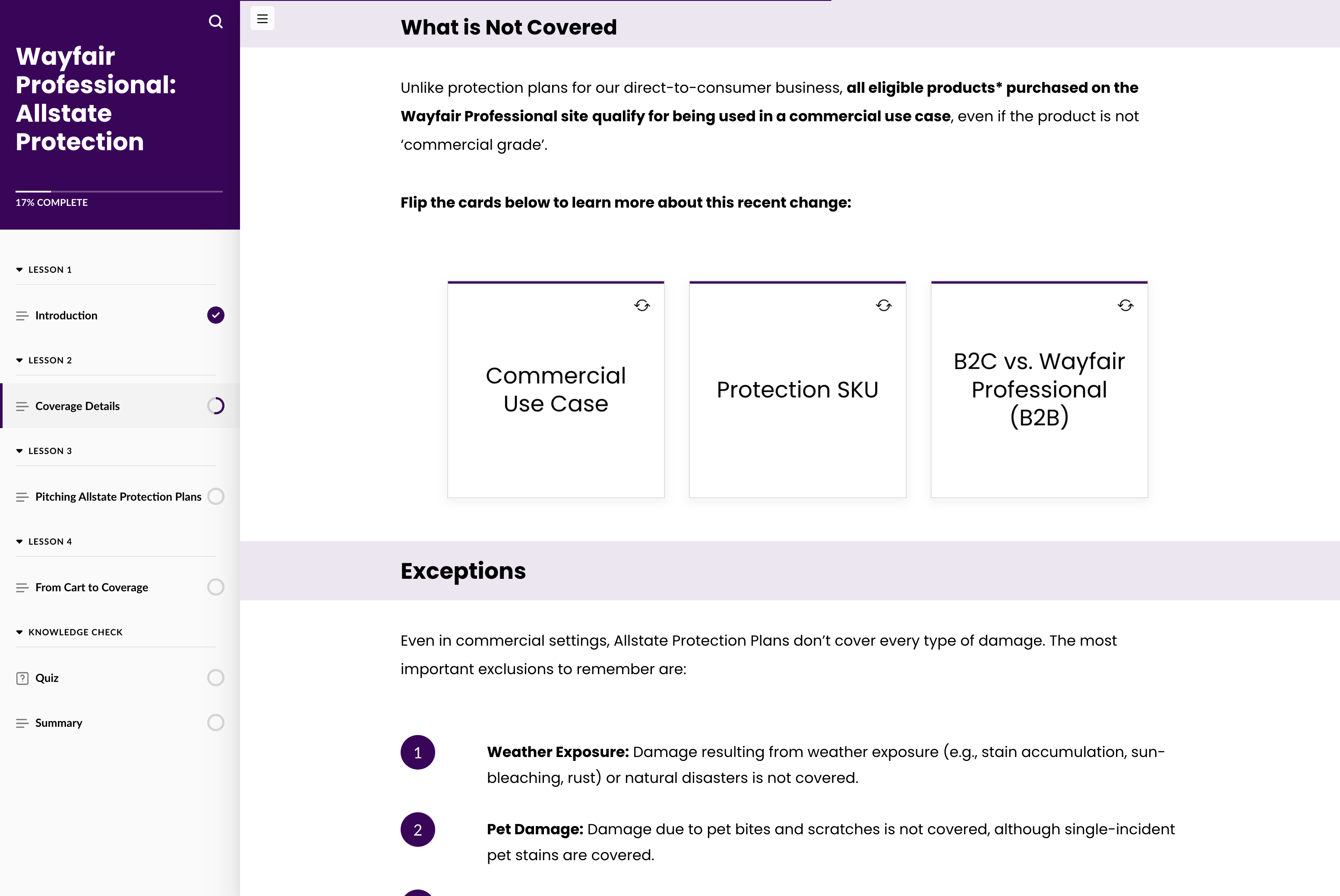
Eligibility, exclusions, resolutions, and the path from cart to coverage. I split that into four lessons, then gave sellers a place to try examples and check what they understood.

From brief to finished course

I turned the source material into a lesson sequence, wrote and built the course in Articulate, and designed the interactions and the quiz. My manager and subject-matter experts reviewed it for accuracy.

Practice, then feedback

Flip cards and expandable examples let people look up a specific rule. A sorting activity asks them to classify a coverage situation. A five-question quiz explains why an answer is right or wrong.

Inside the course

Orient, explore, apply

A few screens from the flow. Click one to open the full capture.

01 / Orient
Start somewhere clear.

The opening covers what the plan is and why a customer would want it, before the policy details. Navigation keeps the whole course in view.
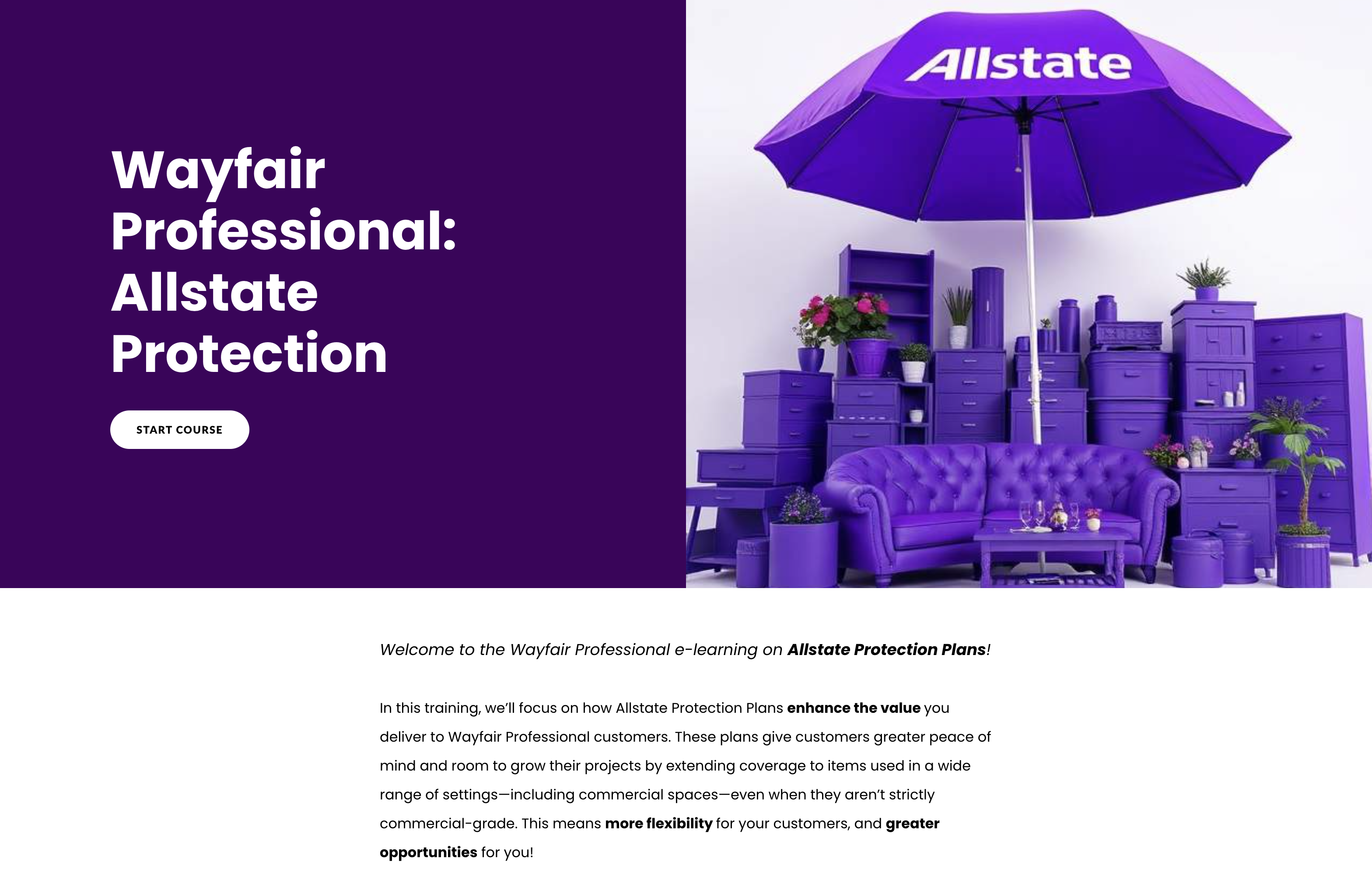
Course opening for Wayfair Professional Allstate Protection Plans, with a start button and introductory copy.
02 / Explore
Put the exceptions where people can find them.

Expandable categories let sellers look at ineligible items without turning the main coverage rules into a wall of text.
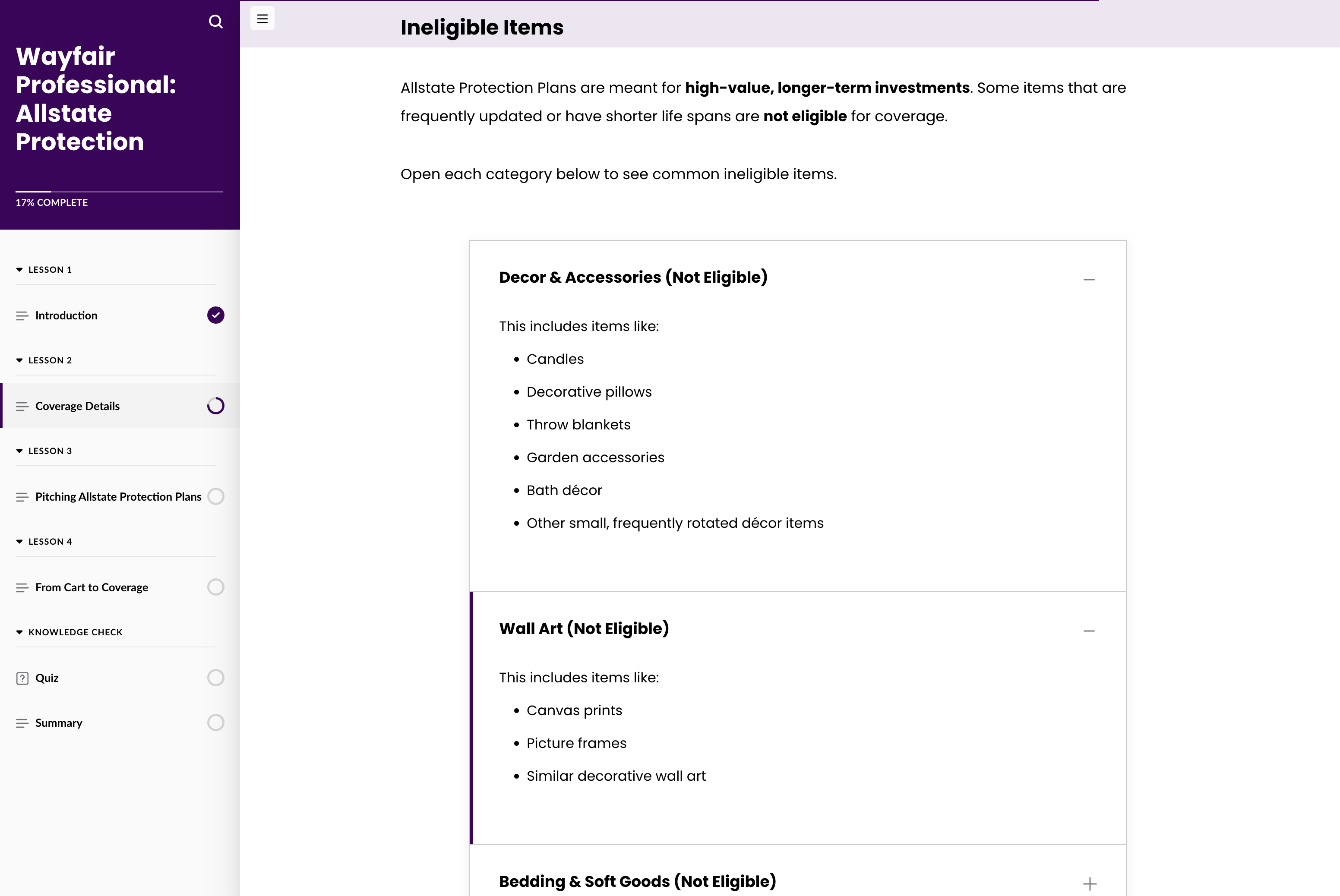
Expandable categories show examples of items that are not eligible for a protection plan.
03 / Apply
Make the call on a real situation.

In the sorting activity, learners decide whether a situation is covered. One example is an accidental spill. Another is damage from prolonged exposure. Those are different calls, on purpose.
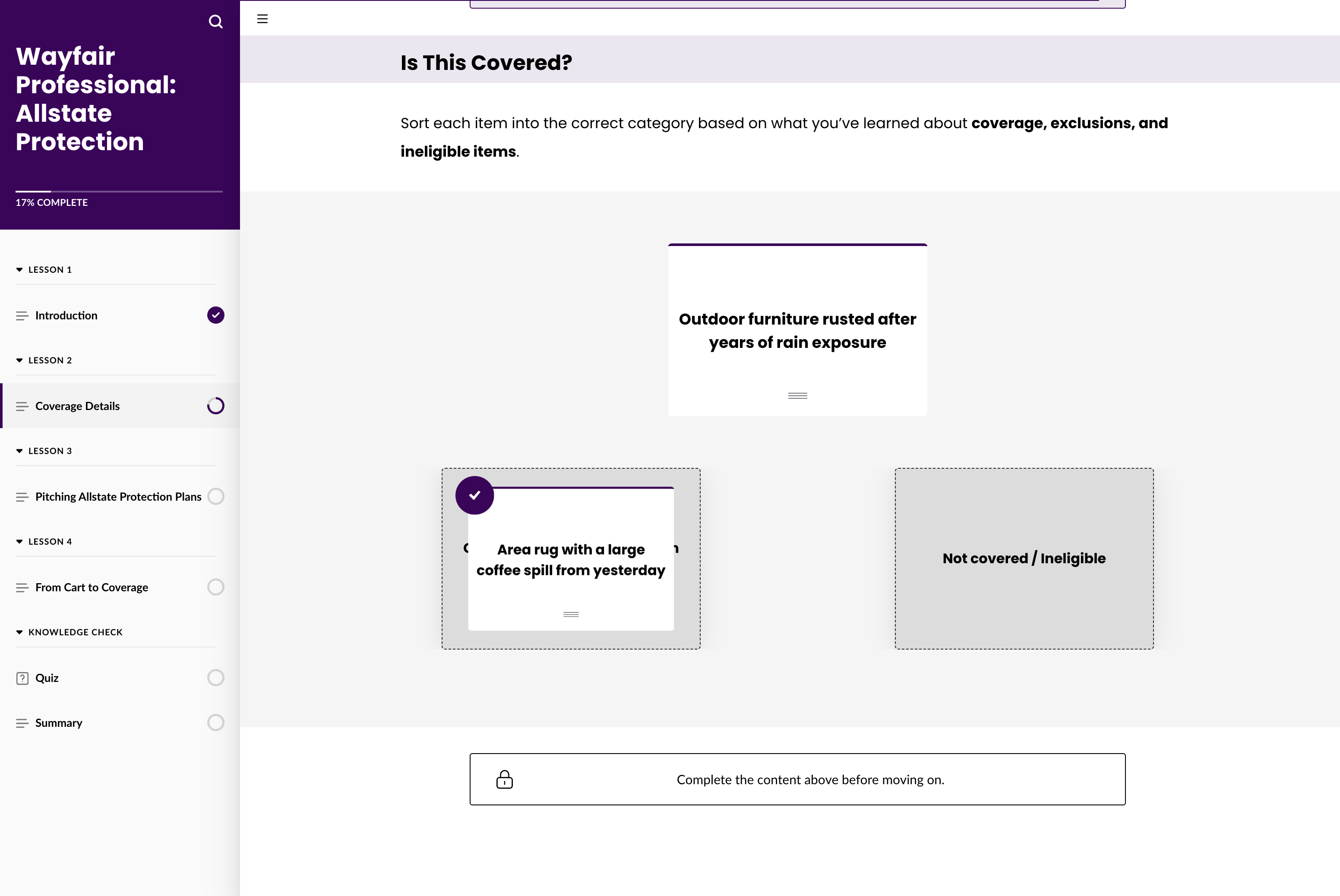
A draggable example is sorted into covered and not-covered categories in the course.
Why the practice is there

Flip cards and expandable lists keep exceptions off the main path. The sorting task is the shift from reading a rule to making a coverage decision, which is the job.

The knowledge check

Five questions at the end. Right or wrong, the feedback names the rule, so the quiz still teaches.

02 / Weekly Watch · Video learning

A weekly video that keeps selling as a learning habit.

Weekly Watch is an internal series I produce for Wayfair sales teams. Business updates, tool explainers, and short training, in one place. Clips from the series also show up in new-hire class, so the work lives past Friday.

Every week I research the topic, write the script, film, make the graphics, edit, and take it through review.

New-hire learningBite-sized trainingSales communications

Featured · Sales Suite tool explainer · 3 min 36 sec

See how a week gets made

Featured episode · Sales Suite tool explainer

3 min 36 sec · Open video in a new tab ↗

How a week gets made

More than a weekly update

One producer, from the brief to the final cut.

I research, write, host, film, design, and edit Weekly Watch. Each week I take information from around the business and turn it into a video sales teams can follow. My team, my manager, and subject-matter experts keep the facts honest.

Keep people current

Explain a business or tool change in plain language, tied to what people actually do that week.

Show up in new-hire class

Episodes get reused in onboarding, so a Friday video can keep teaching after the calendar moves on.

Short training when something changes

A few minutes on a tool, a process, or an immediate need, instead of waiting for a longer course.

What I do each week
  1. Research and shape the topic

    I bring an idea to my team, or I answer a need from my manager. I gather source material from marketing, tools, or operations, and I decide what the audience actually has to understand.

  2. Write and plan the visuals

    I turn a dense brief into a script people can hear once. I mark where a graphic or a pause will help. My team, manager, and the requestor sign off before I film.

  3. Film and make the graphics

    I deliver on camera, film, and build the visuals in Adobe tools or Canva so the spoken explanation and the picture stay together.

  4. Edit and review

    I cut in Final Cut Pro and set the pace. My team and subject-matter experts review the final for accuracy.

This episode

It introduces Sales Suite, and shows how admin tools and the storefront meet in a seller’s day. Interface examples, graphics, and a short rollout overview make the change feel real.

Why I picked it

It is a tool update turned into bite-sized training. On-camera explanation, interface examples, and custom graphics, so sellers can see what is changing, why it matters, and what to expect.

This is an original work sample. Product details, processes, dates, and incentives reflect the episode at the time of production.

03 / External multimedia · 2023

Expert conversations, shaped so customers stay with them.

Talking Shop was an external series I made with Wayfair Professional marketing. The goal was simple. Get industry voices in front of professional customers, and make the stories worth watching.

Guest researchInterview designHosting and editing
Read the case
How the interviews were built

Talking Shop

Research before the interview.
A point of view in the edit.

The series was for Wayfair Professional customers. Episodes surfaced as recommendations when professionals signed in. Marketing owned the channel. I owned the conversation and the cut.

What I owned

I researched the guests, wrote scripts and questions, hosted, edited, and made the graphics. Furniture and design knowledge I picked up on the job helped me ask better questions, not just polite ones.

How we worked

Guests’ teams reviewed scripts and questions. Another team handled recording and logistics. I handled editorial prep, hosting, and post-production, with marketing as the partner on the live site.

The better I prepare, the more room the guest has to talk.

Why these two

The family-business episode is an interview about how people actually work. The design-trends episode is a different guest and a different subject, in the same series. Together they show research, partnership, and a consistent look.

Why this belongs with the training work

Interviewing an expert and building a course ask for the same thing. Understand the subject well enough to make it clear for someone else. This time the someone else was a customer.

Produced in 2023. The 2024 date in Episode 5 refers to the trends discussed. Original episodes remain hosted on Wayfair’s website.