
Vince Moretto ÁlvarezLearning · Multimedia · Communications

Instructional design & multimedia learning

I design learning
that people can use.

I’m Vince, an instructional designer and hands-on multimedia producer. I turn complex information into practical courses, training videos, and resources people can use.

I work from the first intake conversation through storyboards, practice activities, assessments, and the final edit, choosing the format that fits the learning need.

Explore selected work
Vince Moretto Álvarez

Selected work

Wayfair Professional & sales teams

01 / Instructional design · E-learning

Making protection-plan details usable in a sales conversation.

This Wayfair Professional course introduces Allstate Protection Plans through short lessons, interactive explanations, and practice with coverage decisions. It gives sellers a way to explore the details before applying them.

My role: I created the course from start to finish, including the content, Articulate build, interactions, quiz, and feedback. My manager and subject-matter experts reviewed it for accuracy.

Interactive learningDecision practiceAssessment feedback

Four lessons, followed by a knowledge check and summary

See the learning design
Learning design & project details

Wayfair Professional: Allstate Protection

Explain the coverage.
Apply the distinctions.

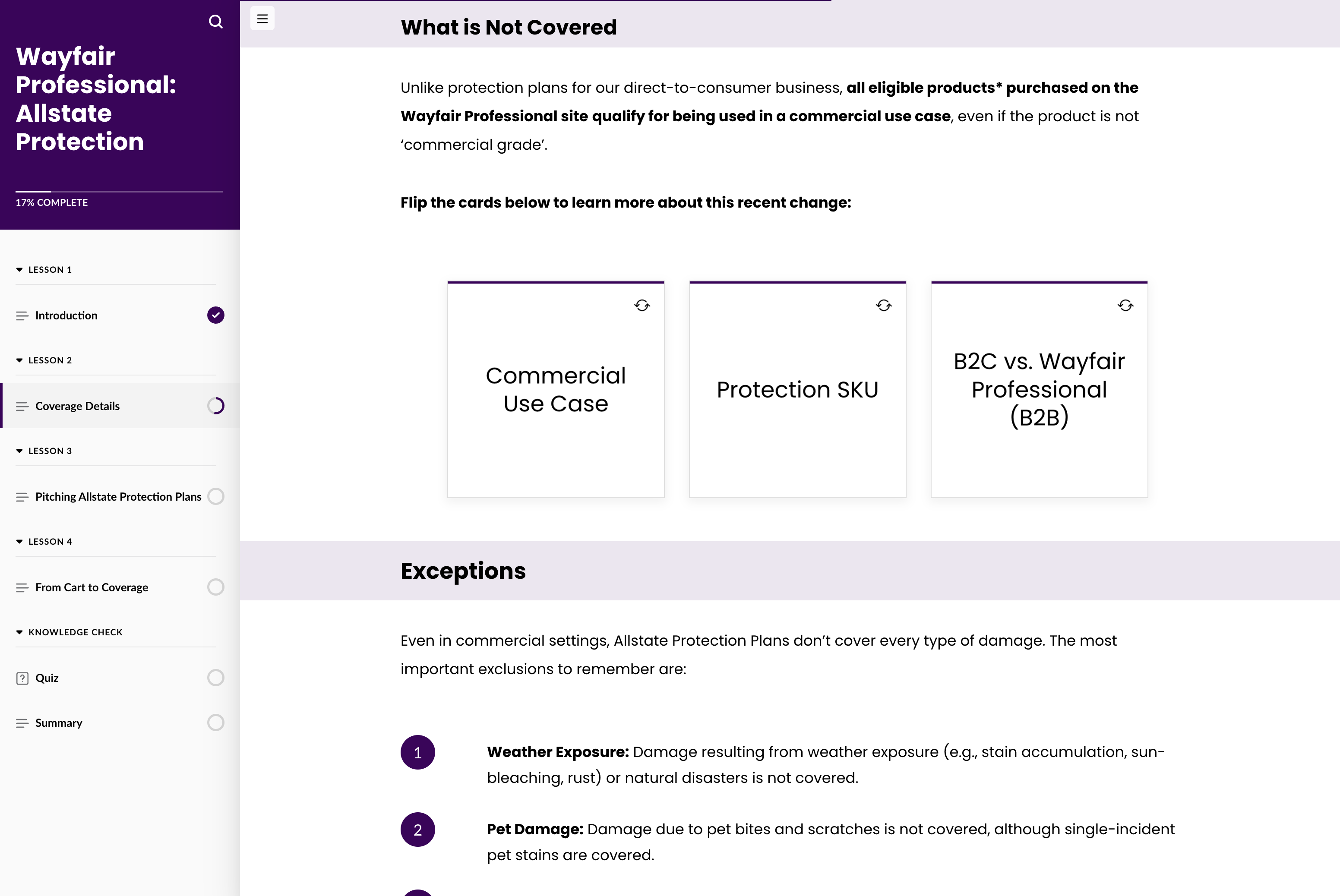
Protection-plan details include eligibility, exclusions, resolutions, and the steps from cart to coverage. This course organizes those details into four lessons, then gives sellers opportunities to explore examples and test what they understand.

From brief to finished course

I shaped the source information into a clear lesson sequence, wrote and built the course in Articulate, and designed the interactions and assessment. My manager and subject-matter experts reviewed the work for accuracy.

Practice & feedback

Flip cards and expandable examples let learners investigate specific rules. A sorting activity asks them to classify coverage situations. A five-question quiz provides answer-specific feedback.

Inside the course

Orient → explore → apply

These selected screens show the learning flow. The screenshots are static; select one to see the full capture.

01 / Orient
Give sellers a clear starting point.

The opening introduces the plan and its customer value before moving into policy details. The lesson navigation makes the course structure visible.
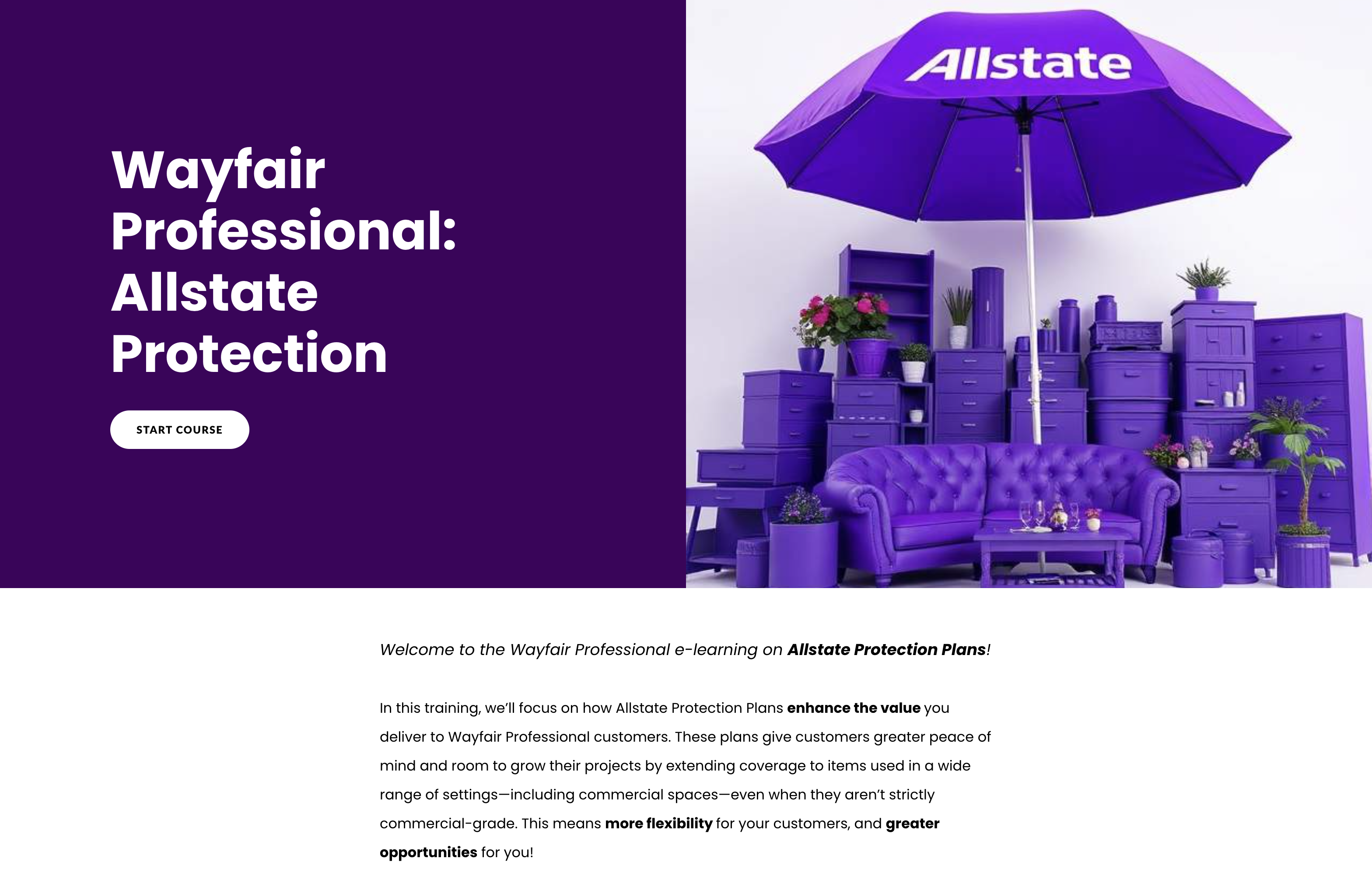
Course opening for Wayfair Professional Allstate Protection Plans, with a start button and introductory copy.
02 / Explore
Put exceptions where learners can find them.

Expandable categories let sellers examine ineligible items without burying the main coverage rules in a long list.
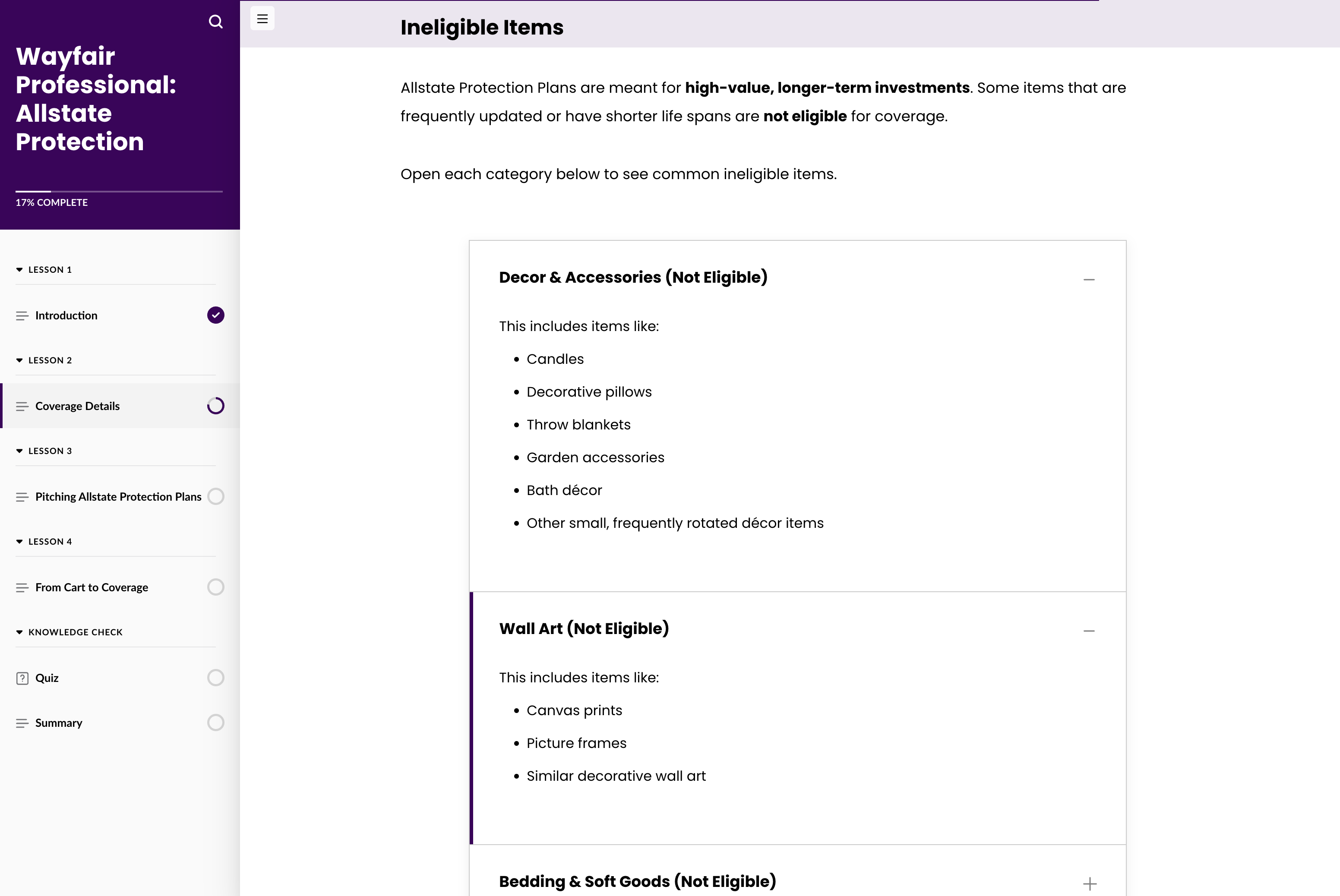
Expandable categories show examples of items that are not eligible for a protection plan.
03 / Apply
Classify a realistic coverage example.

In the sorting activity, learners decide whether a situation is covered or not covered. The visible examples distinguish an accidental spill from damage caused by prolonged exposure.
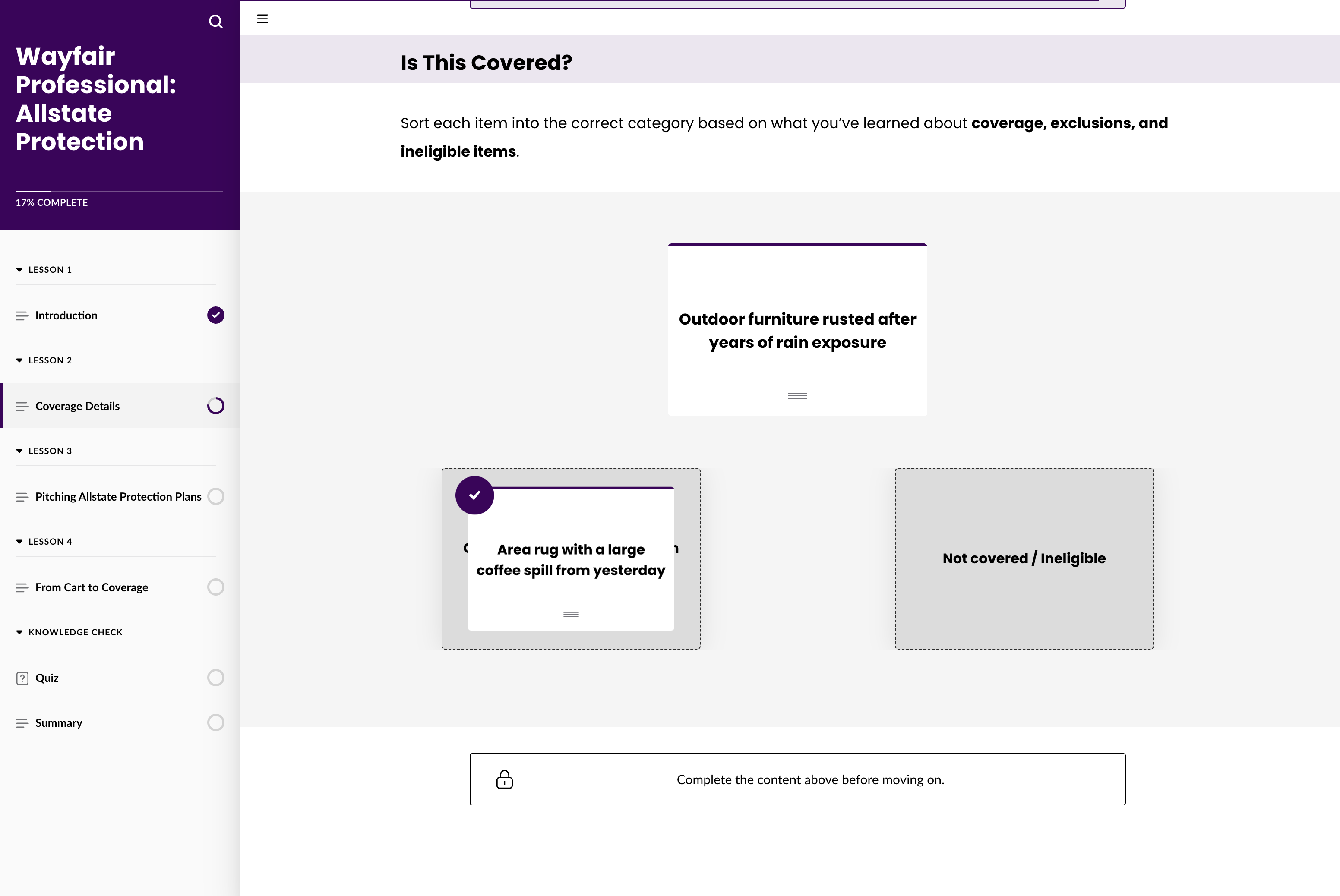
A draggable example is sorted into covered and not-covered categories in the course.
Why the interactions matter

The flip cards and expandable lists let learners examine exceptions without turning every screen into a long block of policy text. The sorting task changes the mode from reading to making a coverage decision.

Assessment

The course ends with a five-question knowledge check. The provided screens show both correct and incorrect responses followed by an explanation, so the feedback reinforces the underlying rule.

02 / Weekly Watch · Video learning & enablement

A weekly video series.
An ongoing learning resource.

Weekly Watch is an internal video series I produce for Wayfair sales teams. It brings together business updates, tool explainers, and bite-sized training. Videos I create through the series are also used in new-hire classes.

My role: End-to-end production every week: from topic research and scripting to filming, graphics, editing, and review.

New-hire learningBite-sized trainingSales communications

Featured: Sales Suite tool explainer · 3 min 36 sec

See the production & learning approach

Featured episode / Sales Suite tool explainer

3 min 36 sec · Open video in a new tab ↗

Weekly Watch: purpose, production & learning uses

More than a weekly update

One producer, from the brief to the final cut.

I handle the research, writing, hosting, filming, graphics, and editing for Weekly Watch. Each week, I translate information from across the business into a video sales teams can understand and use. My team, manager, and subject-matter experts partner with me on approvals and accuracy.

Keep teams informed

Explain business and tool changes in plain language, with a clear connection to employees’ day-to-day work.

Support new-hire classes

Videos from the series are used in new-hire classes, extending their use beyond the original weekly release.

Meet bite-sized training needs

Use short, focused videos to explain a tool, process, or immediate learning need.

What I do each week
  1. Research & shape the topic

    I bring ideas to my immediate team or respond to a need from my manager. I collect source material from marketing, tools, or operations teams and identify what the audience needs to understand.

  2. Write & plan the visuals

    I turn complex information or a brief into a straightforward script, choosing where graphics and attention resets will support the explanation. My team, manager, and SMEs or requestors approve the script.

  3. Film & create graphics

    I handle on-camera delivery and filming, and create the visual assets in Adobe tools or Canva. I bring together the spoken explanation and the graphics that support it.

  4. Edit & review

    I assemble the footage and graphics in Final Cut Pro and shape the pacing of the finished video. My team and subject-matter experts review the final cut for accuracy.

The featured episode

This episode introduces Sales Suite, showing how admin tools and the storefront come together in a seller’s workflow. Interface examples, explanatory graphics, and a rollout overview help make the tool change concrete.

Why this sample

The episode shows how I turn a tool update into bite-sized training. I pair on-camera explanation with interface examples and custom graphics to show what is changing, why it matters, and what sellers should expect.

This is an original work sample. Product details, processes, dates, and incentives reflect the episode at the time of production.

03 / External multimedia · 2023

Turning expert conversations into useful stories.

Talking Shop: an external video series created in partnership with Wayfair Professional marketing to engage professional customers on the website.

Guest researchInterview designHosting & editing
Explore the case study
Project details

Talking Shop

Research before the interview.
Purpose behind the edit.

Talking Shop was designed to engage Wayfair Professional customers. Episodes surfaced as recommendations when professionals signed in to the website. The series brought industry perspectives into customer-facing content, in partnership with the marketing team.

What I owned

I researched the guests, wrote scripts and interview questions, hosted the conversations, edited the videos, and created graphics. My design and furniture expertise, developed on the job, helped me shape relevant questions and understand the subjects being discussed.

How we collaborated

I worked with guests’ teams to review and approve scripts and questions. A separate team handled recording and guest coordination. Marketing partnered on the external content; my role combined editorial preparation, on-camera hosting, and post-production.

Good preparation makes room for a more informed conversation.

Why these samples

The family-business episode explores professional experiences through an interview. The design-trends episode shows another subject and guest within the same series. Together, they demonstrate research, expert partnership, and consistent presentation across topics.

What this adds to my learning work

Interviewing experts and building training share an important skill: understanding a subject well enough to make it clear for someone else. This series shows that skill in an external, customer-facing setting.

Produced in 2023. The 2024 date in Episode 5 refers to the trends discussed. Original episodes remain hosted on Wayfair’s website.

About my work

A learning designer.
A storyteller.
A hands-on producer.

My work spans instructional design, sales enablement, and communications and engagement at Wayfair Professional. I partner with leaders and subject-matter experts, then shape their information into a course, video, or resource that fits the audience.

I apply ADDIE to learning projects and bring experience in curriculum development, onboarding, facilitation, and multimedia production.

Articulate 360 · Google Slides · Final Cut Pro · Adobe creative tools · Canva · AI-assisted content workflows